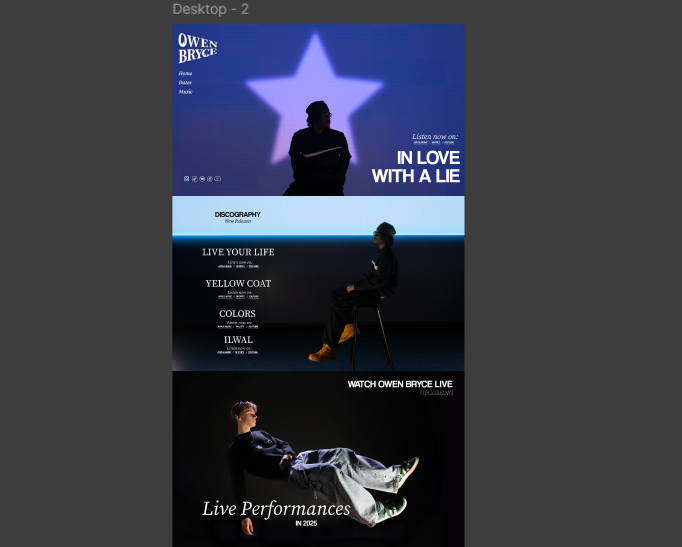
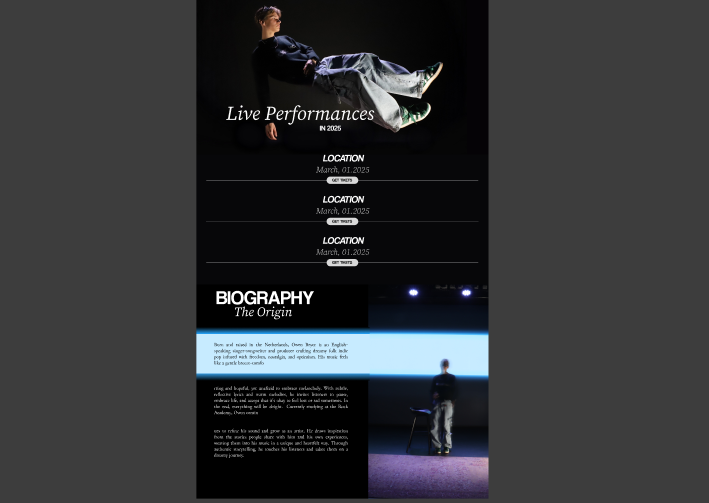
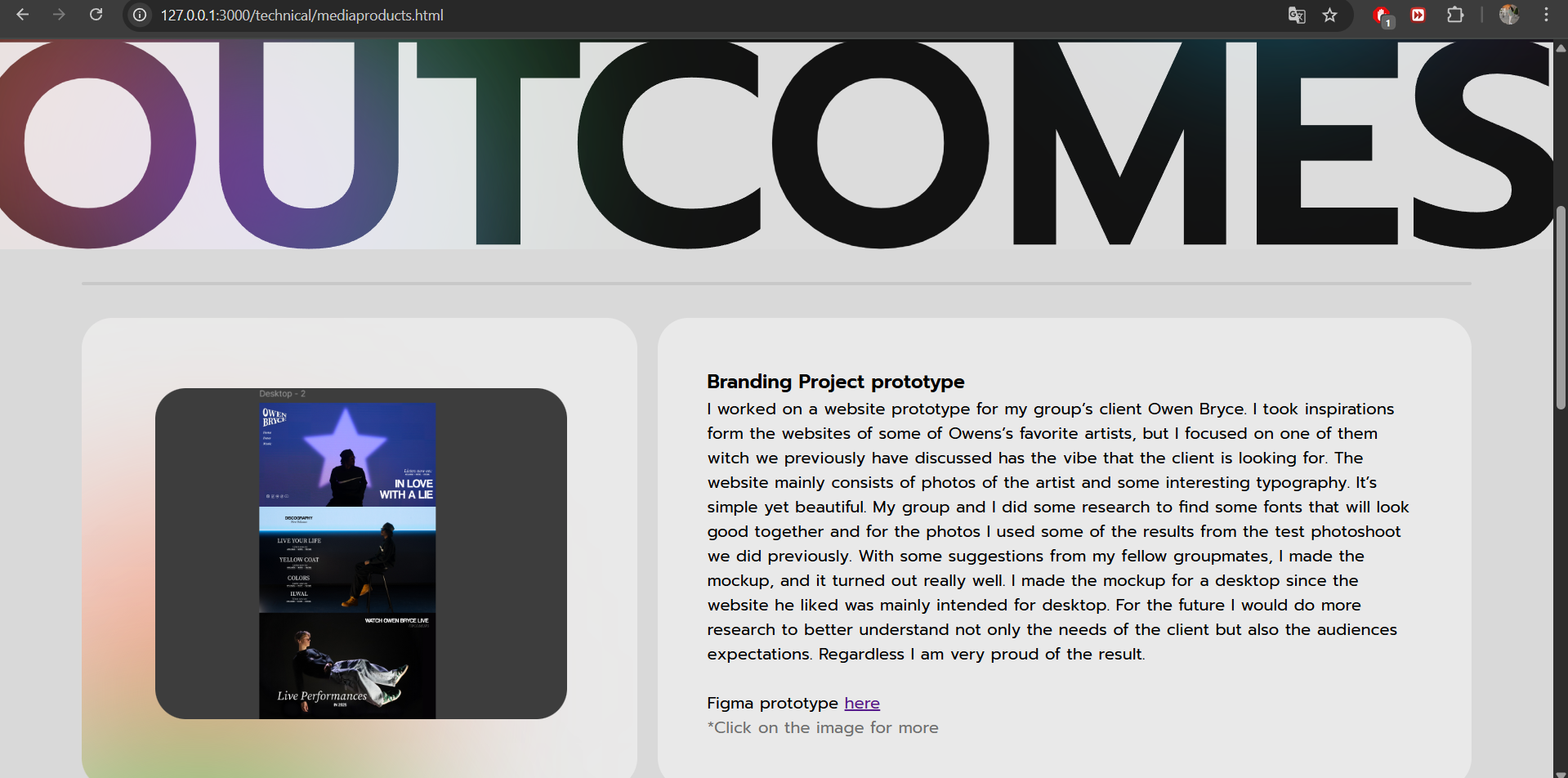
I worked on a website prototype for my group’s client Owen Bryce. I took inspirations form the websites of some of Owens’s favorite artists like Lord Huron and Tom Odell, but I focused on one of them – David Kushner we previously have discussed has the vibe that the client is looking for. The website mainly consists of photos of the artist and some interesting typography. It’s simple yet beautiful. My group and I did some research to find some fonts that will look good together and for the photos I used some of the results from the test photoshoot we did previously. With some suggestions from my fellow groupmates, I made the mockup, and it turned out really well. I made the mockup for a desktop since the website he liked was mainly intended for desktop. For the future I would do more research to better understand not only the needs of the client but also the audiences expectations. Regardless I am very proud of the result.
Figma prototype here
*Click on the image to continue the slideshow
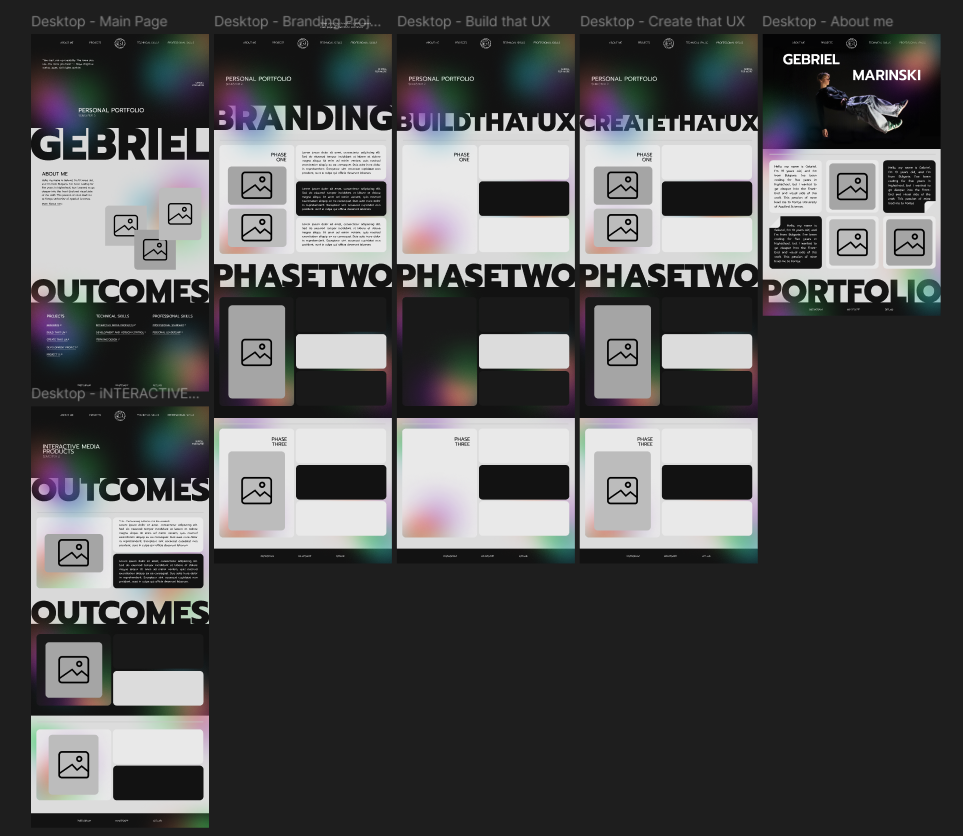
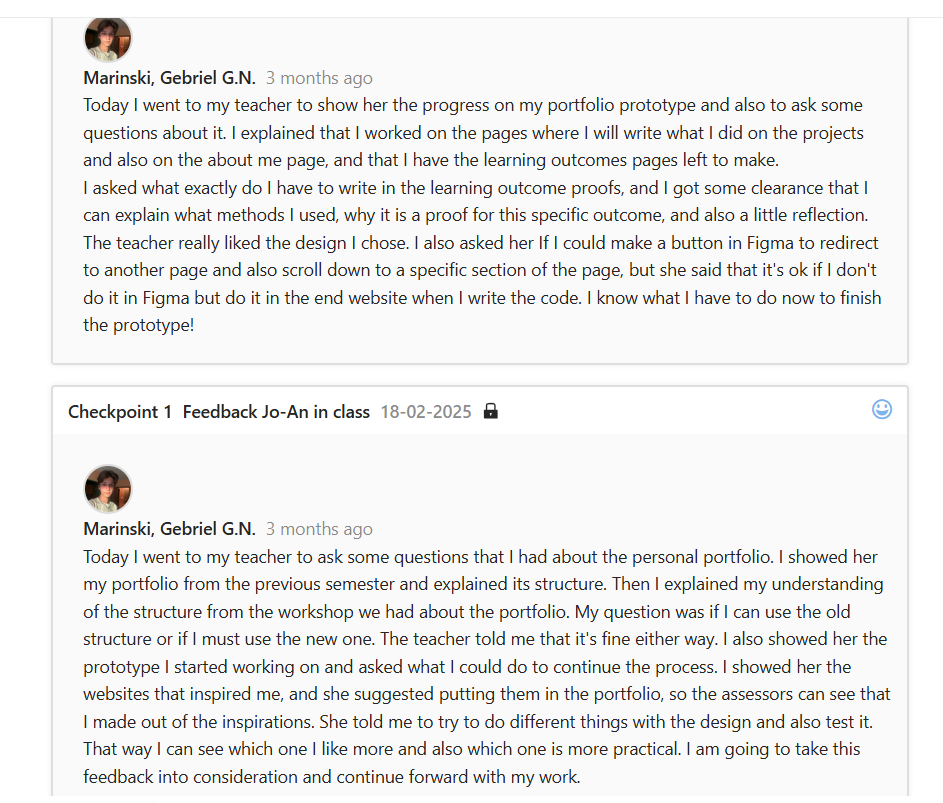
I worked on a website prototype for my personal portfolio. I went online to look for inspiration for my portfolio and found two websites that really caught my eye. I decided to try to make a combination of both. After I finished the home page, I went to get some feedback from my teacher about the layout I chose and to ask some questions about the structure. During a talk with my teacher, we discussed the learning outcomes and what I have to write in them which gave me a better idea of what to do with the structure of the other pages and so I worked on them next. After I was done, I went for another feedback session to hear my teachers’ opinions of my prototype. I received positive feedback and encouragement to continue working on what I have so far because it would turn out great. I even received some helpful advice on how to code some of the elements in the future. Next goal- code the website!
Figma prototype here
*Click on the image to continue the slideshow
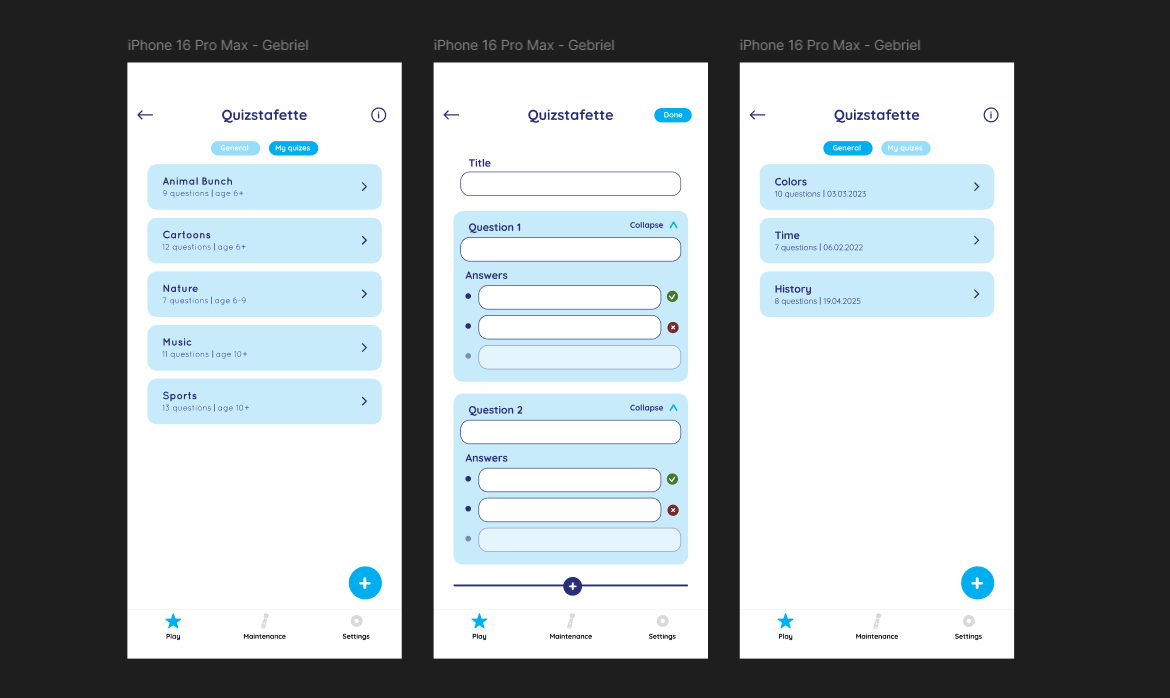
For my second project of semester 2 me and my group are working with a company named Picoo. For them we have to create a user interface for creating quizzes. While we were working on the user study we decided to create some interactive prototypes just to visualize our ideas. I started by recreating the page that they already have consisting the quizzes that are premade in their app. I recreated it in Figma so I can use the elements that they have and reposition them in the way that I envision. After that I started working on creating the prototype for the quiz creation itself. I took some inspiration from other quiz websites like Kahoot and from websites like Google forms to create my design in the end I'm very proud of what I did. For the future I would wait on making the design for after conducting the user study, because in the end we realized that the majority of the users would prefer to make the quizzes on their laptop even though the client was looking for a mobile design too. Nex time I will not rush so I can make the design suitable for the clients needs and their clients needs.
Figma prototype here
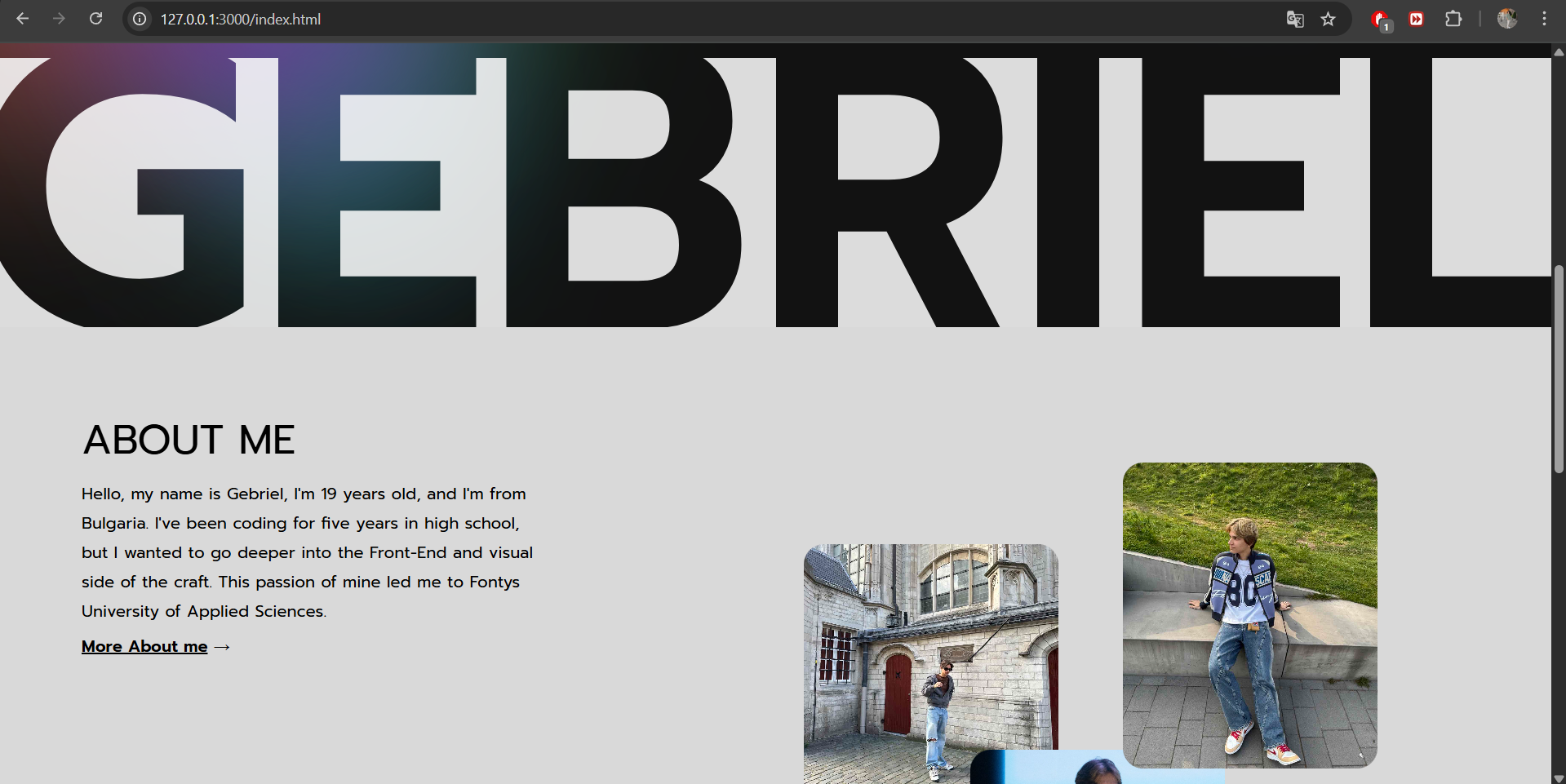
I coded the base of my portfolio. After I was done with the Figma prototype of my portfolio the next step was to code the design. I started by creating the index page and working on the pages for the learning outcomes. My goal was to have the base structure of where all the proofs are going to be and to be able to add them to the site for the second portfolio review without going into too many details like making it responsive or adding animations. After I was happy with the index page I started working on the outcomes page. I made it look somewhat like the Figma design but ran into some problems with the layout so I had to go to my teacher for help. He helped me fix the layout and some of the other problems I ran into along the way like placing the light effects in the right places. I completed the base of the outcomes page and also the projects page so the next thing I had to do was to fill the website with the information that I had previously written down. After I was done, I had some spare time to work on some of the details. I started adding the photos to the index page and working on the “about me” page. In the end I have the base done and for the next review I'm going to focus on making it interactive and adding all the details that I have in my mind.
*Click on the image to continue the slideshow
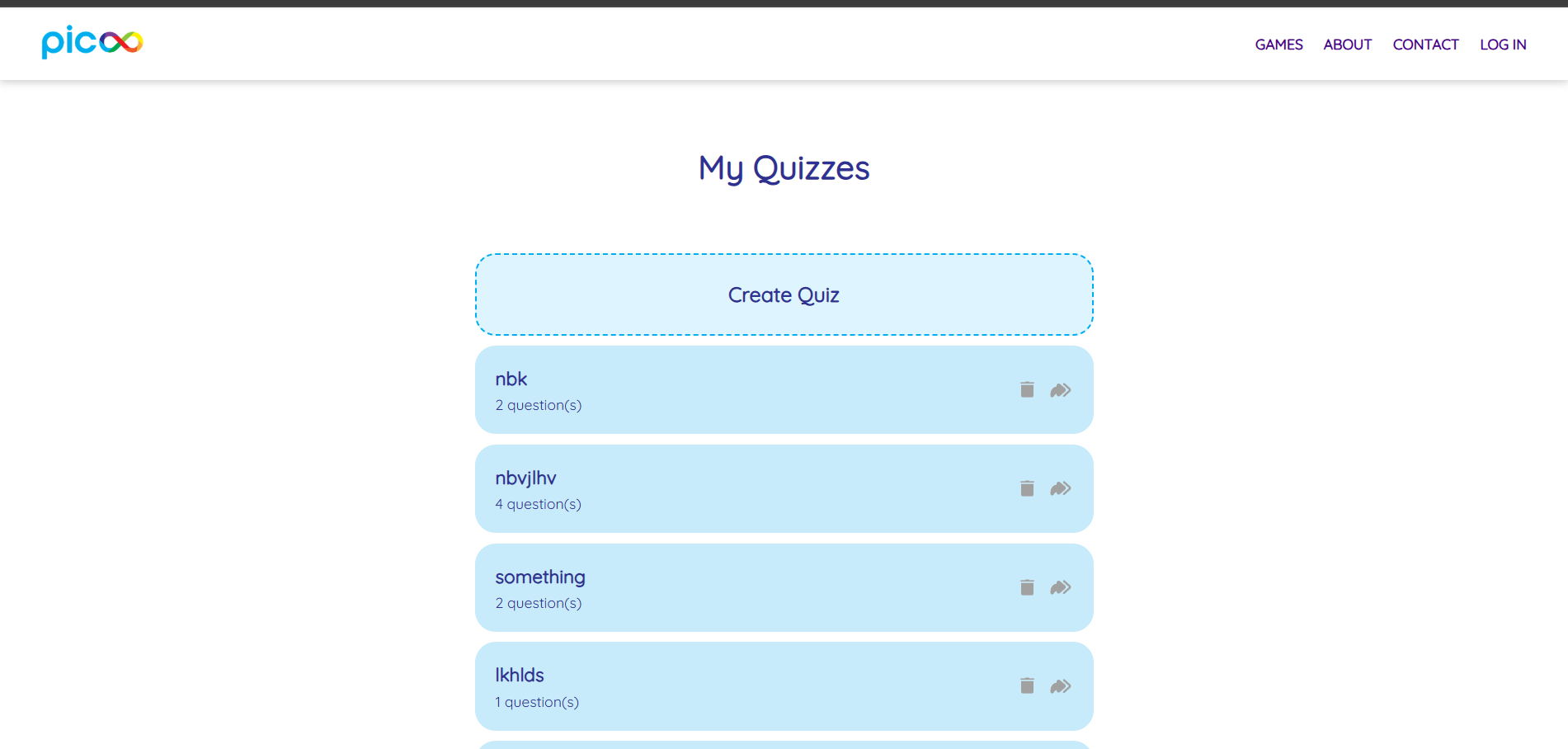
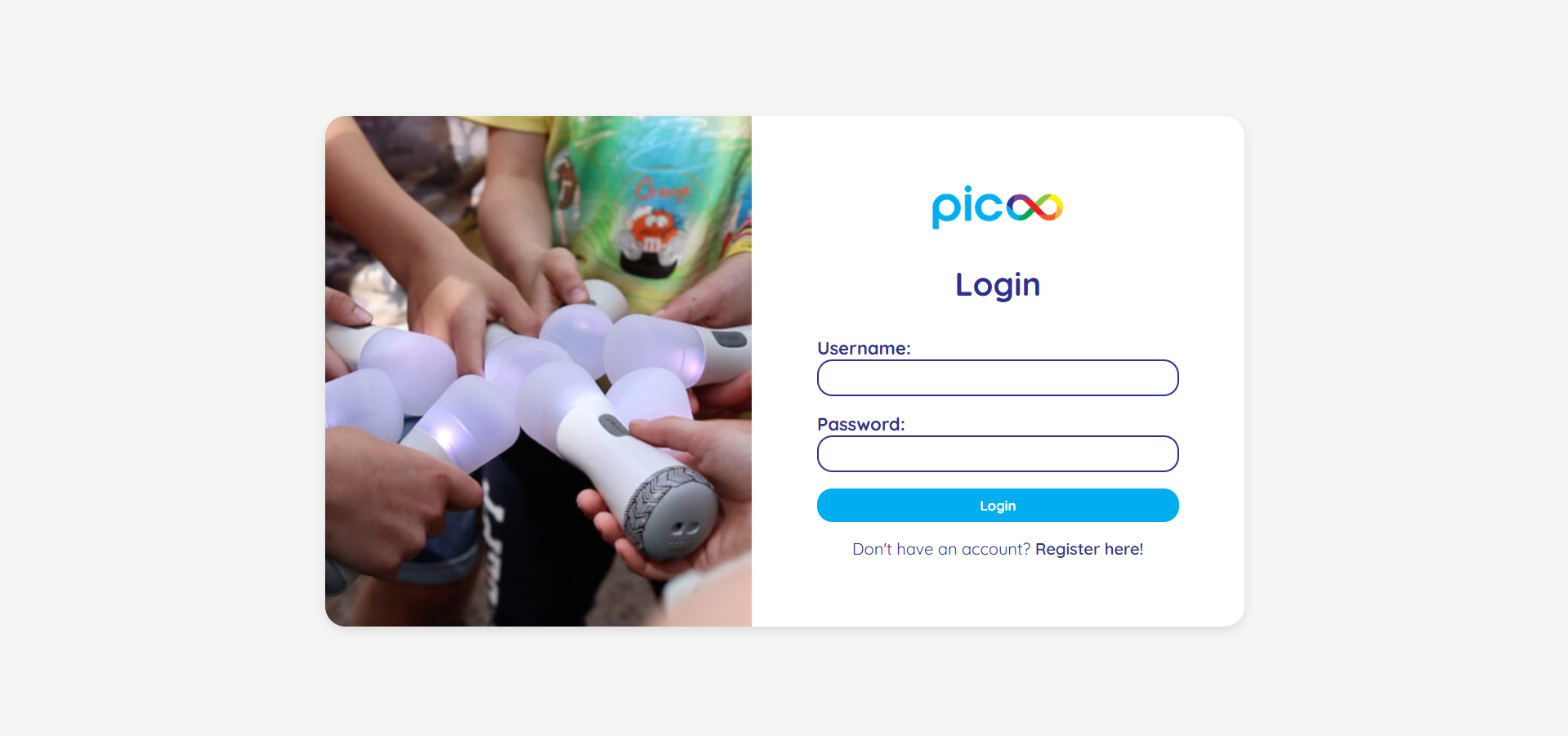
Me and my team coded the website prototype that we had previously created for the create that UX project. After doing a bit of redesigning of the figma prototype that we chose to code we started with the development. The first step was to create the base JavaScript code that would make the website function the way we want it to. I had the job I've coding that base so I started immediately. I had to make the add edit delete functionality work. After I was done with the base we divided the work three ways. I had to create the index page where the quizzes are shown and also the login and register forms. After completing this goal we tested the product with users and received some feedback from our teachers. From the user test we gathered that we had to change some buttons to make them more understandable and and the teachers gave us encouragement to try and add other functionalities that would help us learn something new so I had to create a “share quiz” function. After all of the members of the team were done with their parts we worked on consistency in making the website look complete. In the end we have a functional website for creating quizzes. All of the functionalities we had in mind before starting the development are working and the team and I are proud of our creation.
Figma prototype here
Git repository here
Finished product here
*Click on the image to continue the slideshow
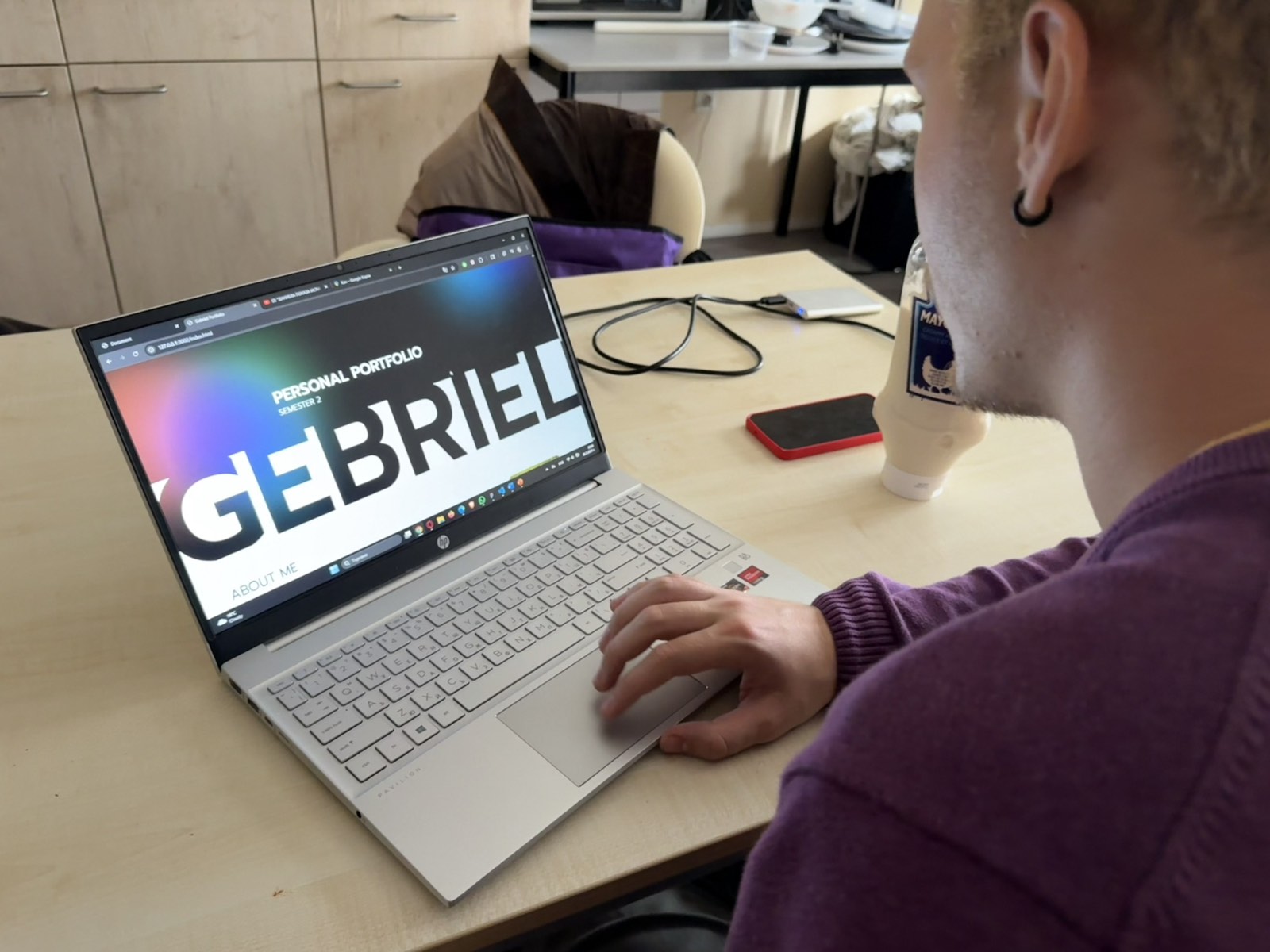
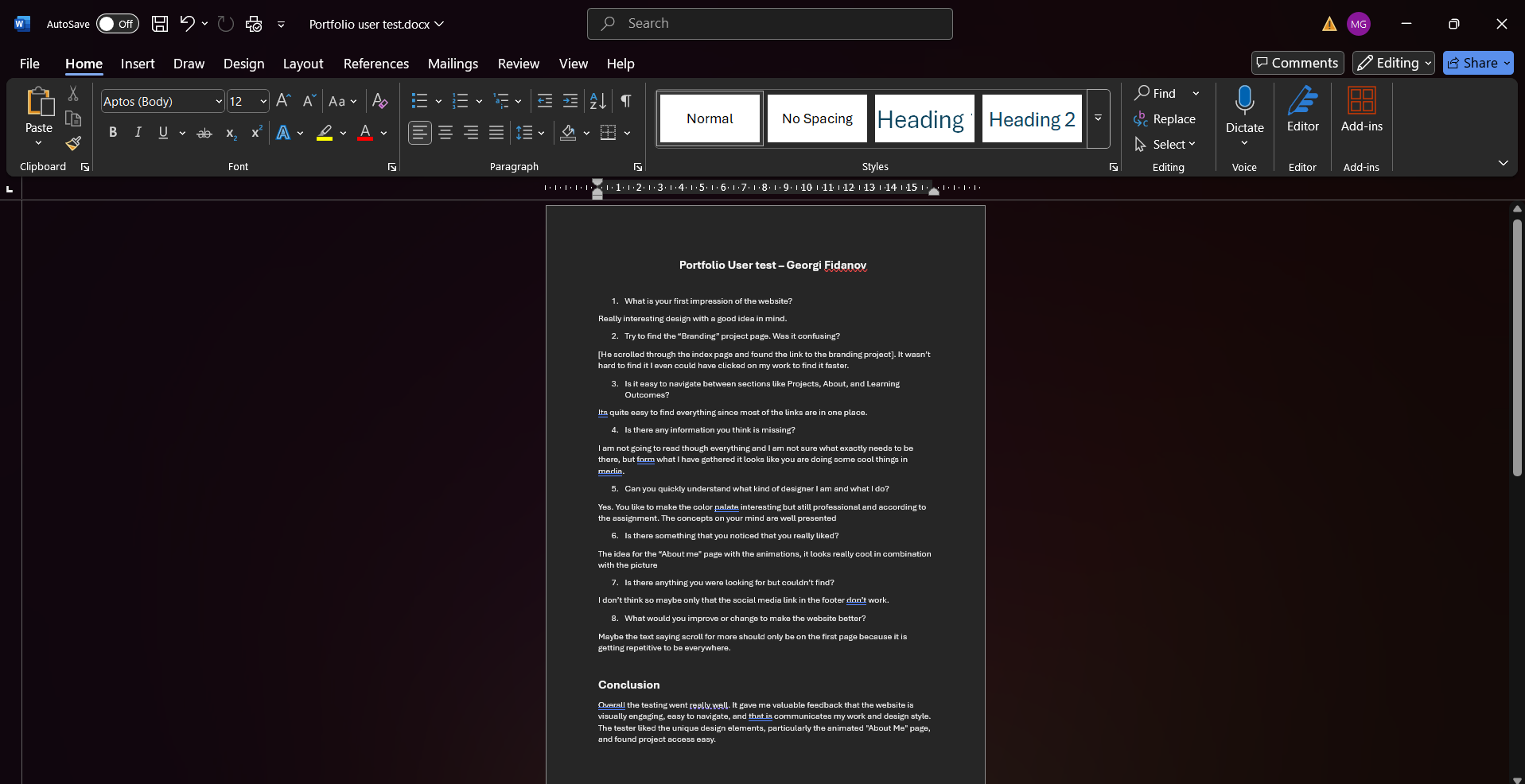
I performed a user test on My Portfolio website. I wanted to know if the website that I am developing is easy to navigate and clear for the users. For this reason I decided to perform a user test. I previously wrote down some questions that I wanted to ask the user during and after the test. For example I asked him about his first impressions of the website, to go to some different pages so I can see if he navigates easy and about things he couldn't find but wanted to. In the end I also asked if there are some things that he would like to be changed to make the website better. Overall the tester really liked the design and said that it looks professional but interesting. He especially enjoyed the “about me” page for which he said that it's really well combined the picture I chose. He did have some notes about a text which says “scroll for more” and that it is a bit repetitive to be in every page and suggested that I should leave it only for the index page and remove it from the others. Also she noticed that I didn't add links to my social medias in the footer. This user test was a great experience to show me an outside view of the project that I was working on and to help me improve it even further.
User test document here
*Click on the image to continue the slideshow
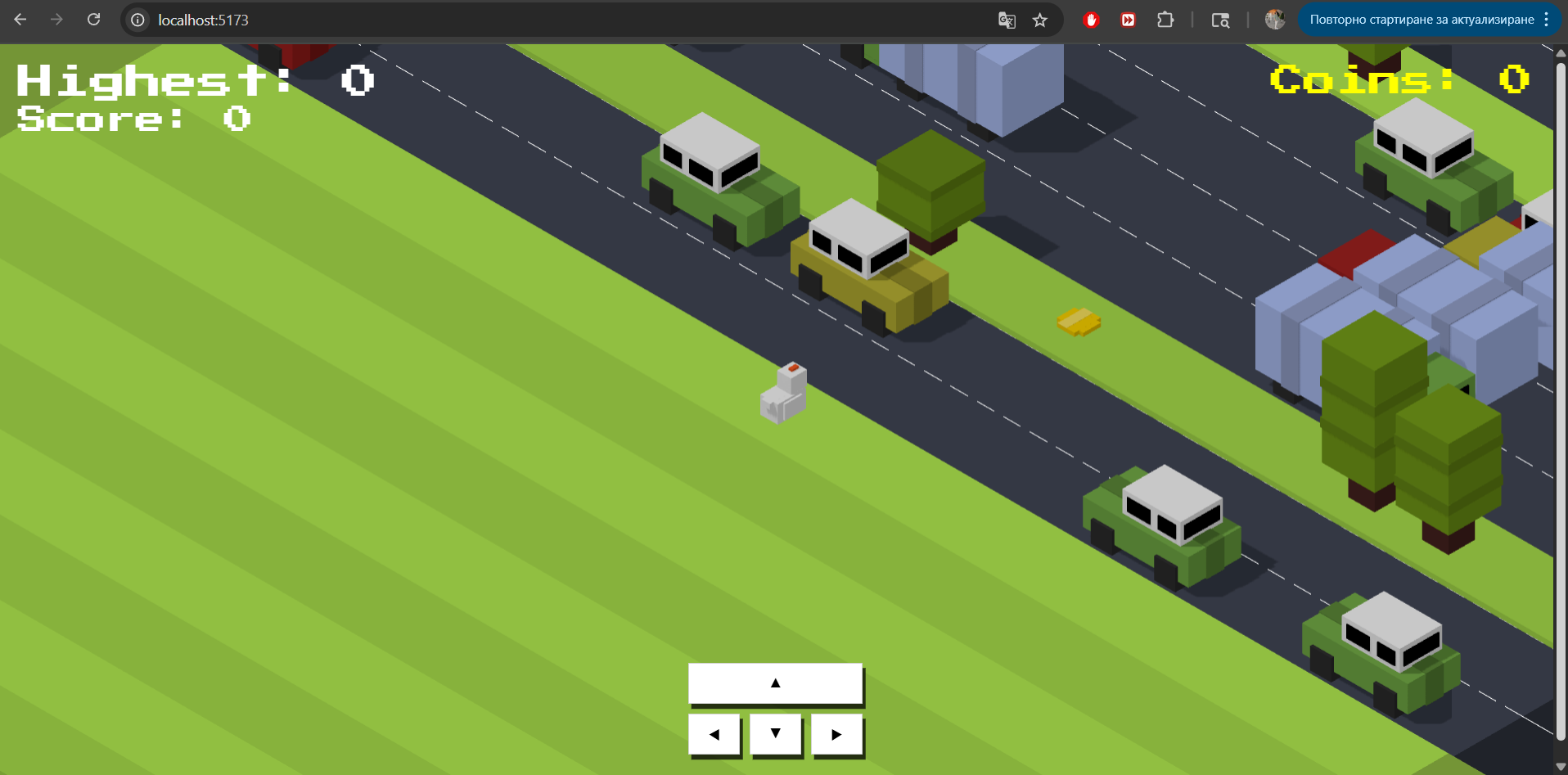
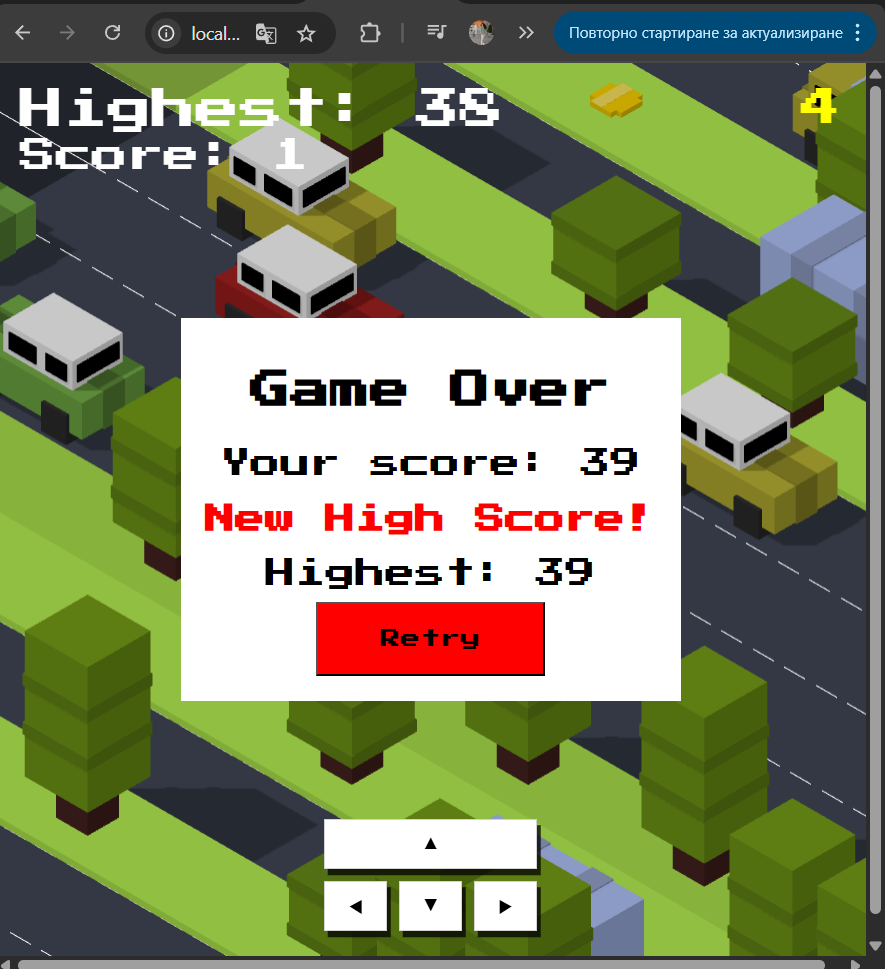
For my project x decided to recreate the popular mobile game Crossy Road. In this game a character in this game a character moves across a map trying to avoid static and moving obstacles like trees and cars. I used the tutorial to build the base of the game and then continued forward working on my own. The tutorial helped me recreate the game mechanics and build basic 3D models. There were some things that were missing and I had to fix like the character being able to move even after they are hit by an obstacle or the map being cut off. After fixing those issues I redesigned the models myself To give them a personal touch while still trying to keep the style have the original game in mind. I also included some additional features that will suggestions from peers and teachers feedback or my own ideas. I added a coin system where the character can collect coins throughout the map as a currency. As feedback from one of my teachers I received the idea to make it's so when the character escapes a moving obstacle in the last moment it gives an additional point. I included that feature too. Overall I'm very proud of myself for doing this project not only because they used a new tool I've never used before (Three.js) to build it but also showed me the world of game design.
Git repository here
Finished product here
*Click on the image to continue the slideshow
*You control the character with the arrow keys